
Currently, many Facebook users sign up to play games or use various applications using their Facebook accounts. These applications may store information and have access to certain data from the user’s Facebook account. If users wish to remove these applications from their Facebook account, they can do so themselves by following the steps below.
1. Open Facebook and tap the “More” button, represented by a three-line (☰) icon located in the top-left corner, as shown in the image below.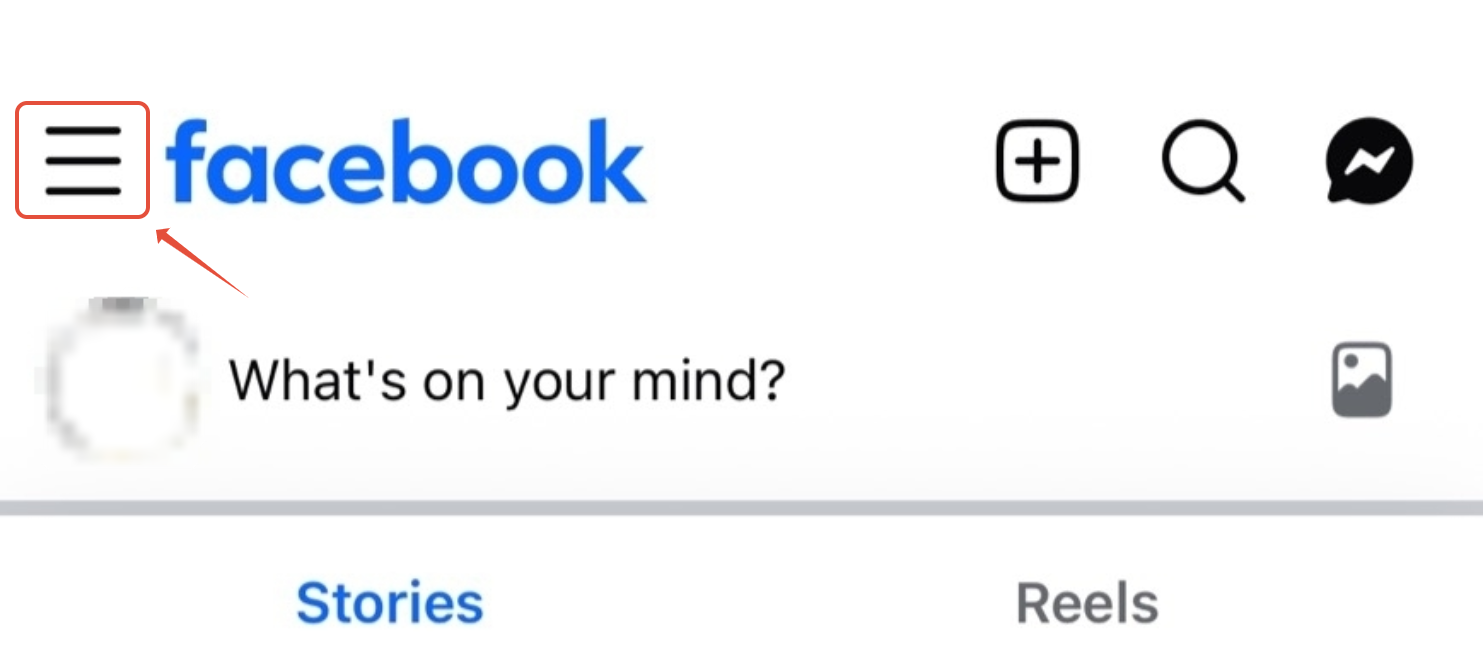
2. Tap the Settings & Privacy menu, then select Settings.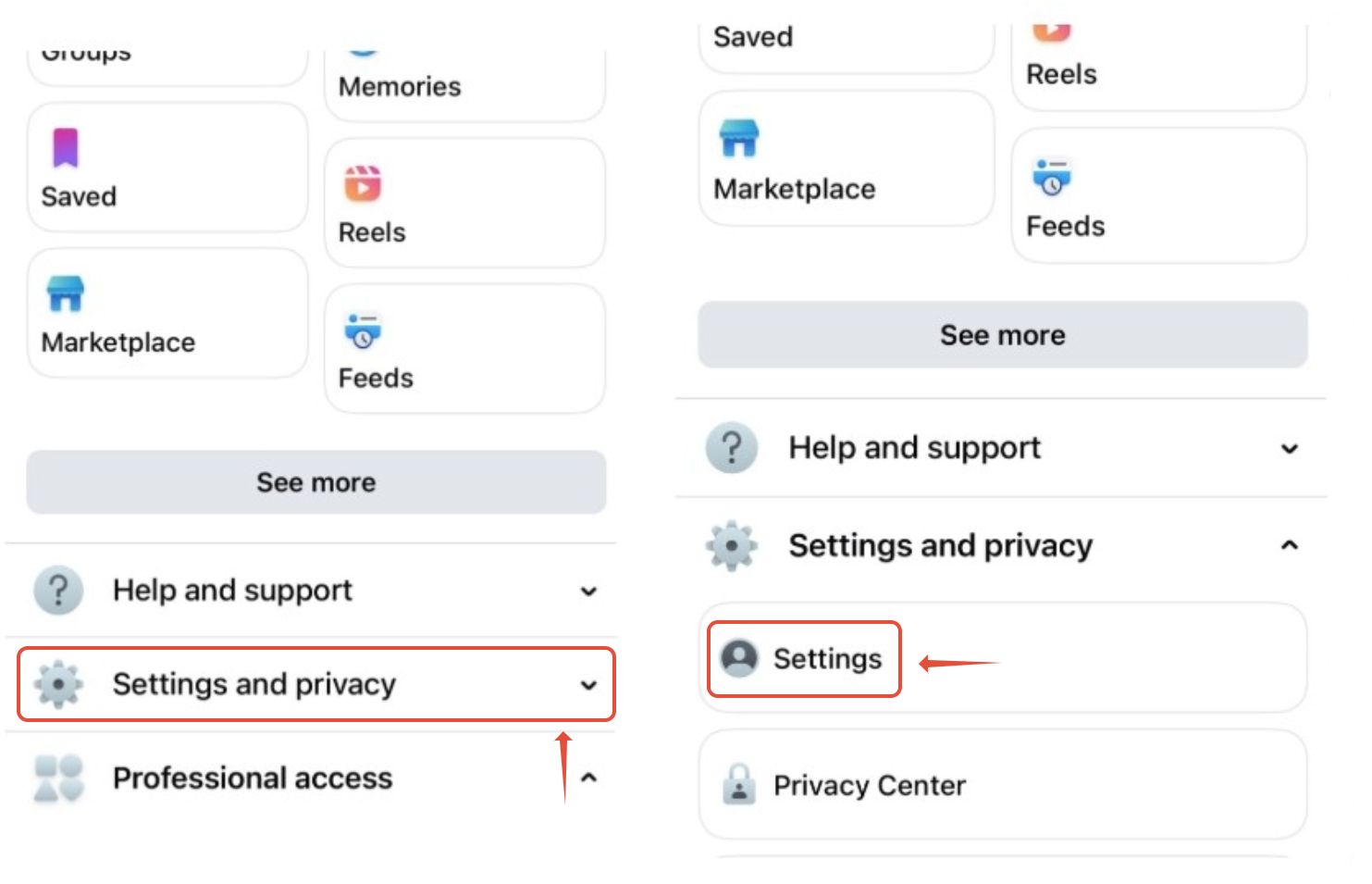
3. On the Settings & Privacy page, scroll down to the Your Activity section and select Apps and Websites.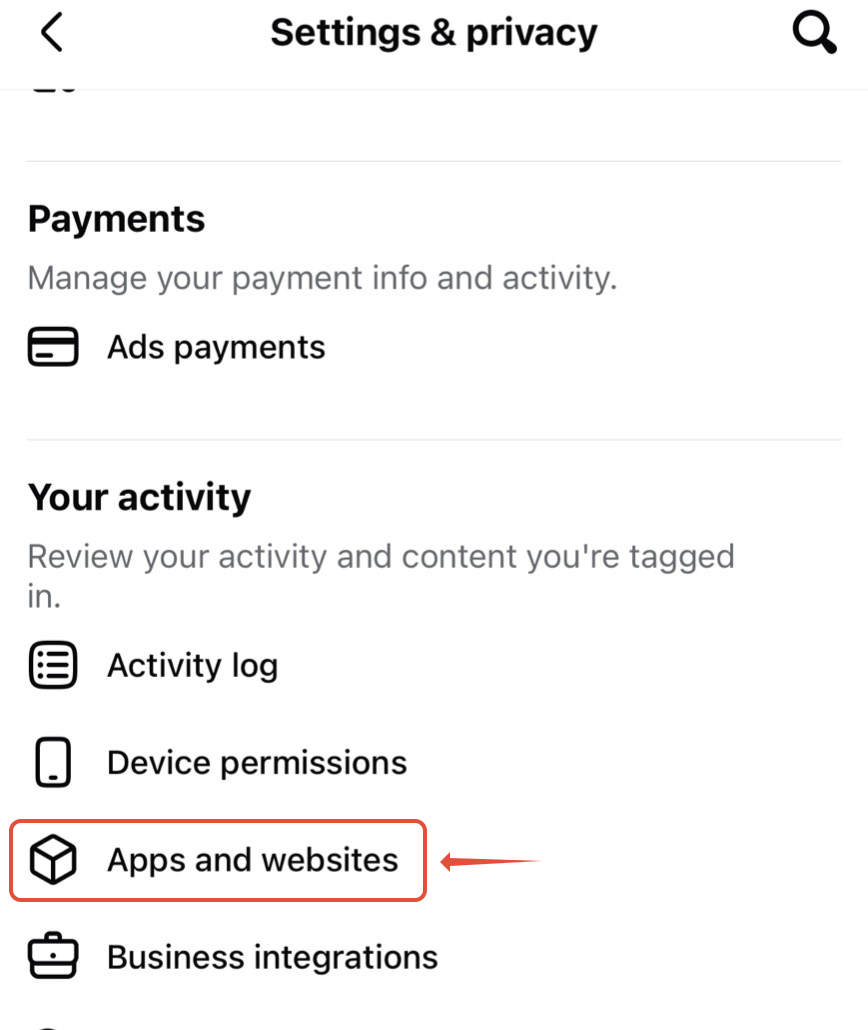
4. Select the application you want to remove, then tap the back arrow to proceed to the data removal screen. Tap the Remove button to request deletion of the application’s data, as shown in the image.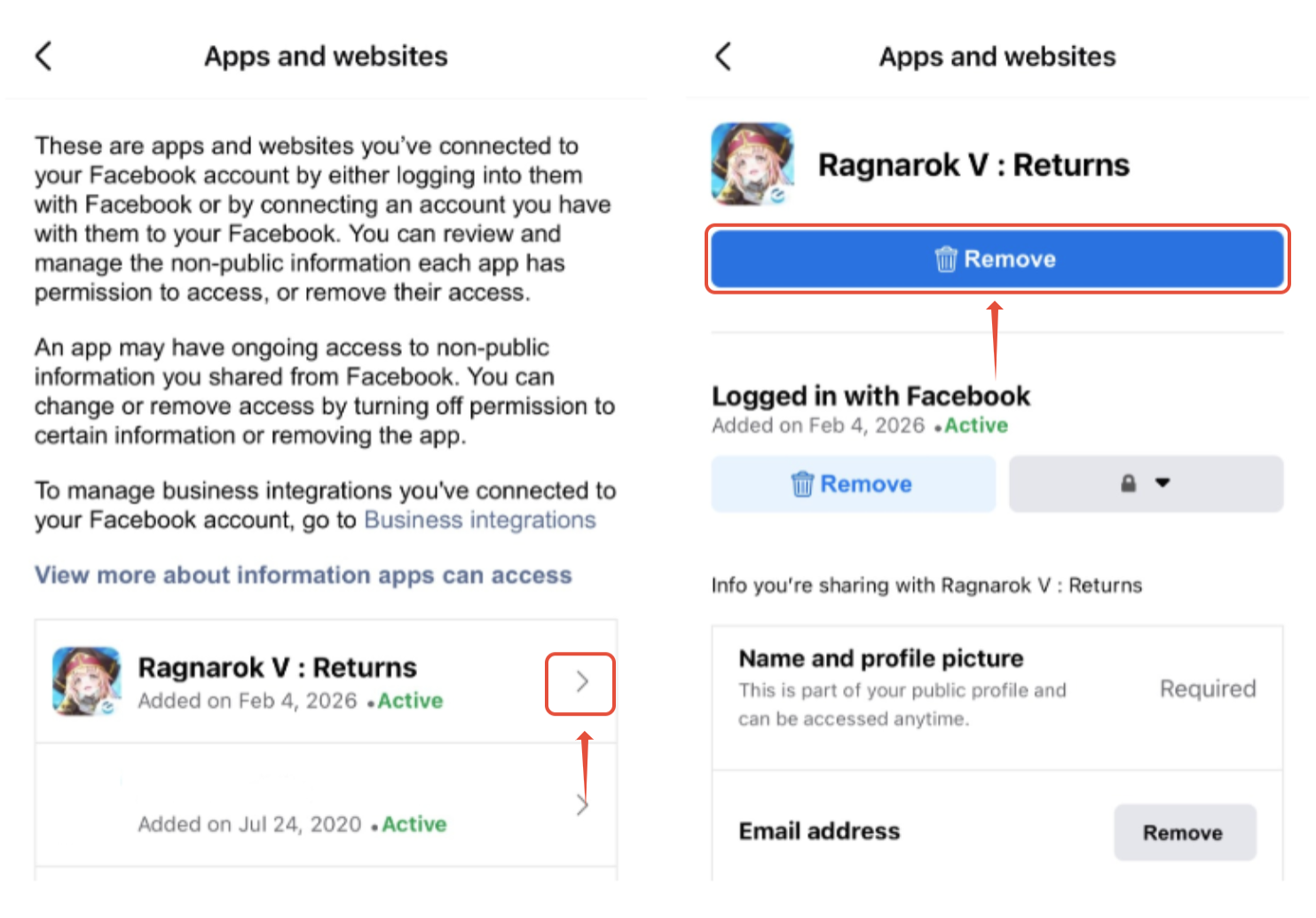
5. A confirmation window will appear showing details of the selected application. To proceed, confirm the deletion by tapping the Remove button again. The system will then notify you that the application data has been successfully removed from Facebook.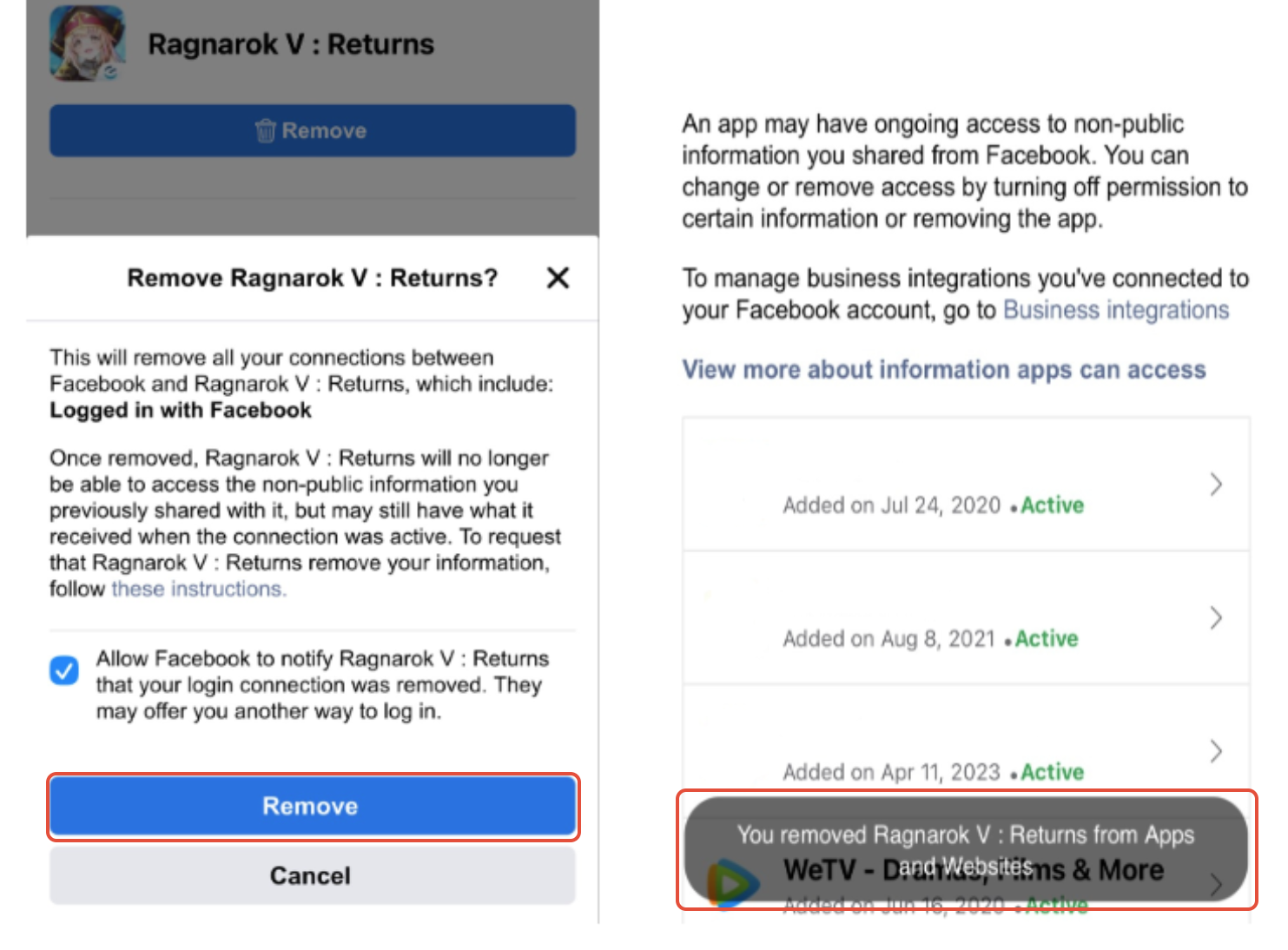
✦ If you have any questions or require further information, please click > Support Ticket
to contact our support team.
Was this article helpful?
That’s Great!
Thank you for your feedback
Sorry! We couldn't be helpful
Thank you for your feedback
Feedback sent
We appreciate your effort and will try to fix the article